Layout and Configuration Settings
ScanImage®’s front end is customizable through Layout files (introduced in ScanImage 2025), while all other settings are stored in Configuration files.
When ScanImage® acquisitions are launched – by pressing one of the FOCUS, GRAB, or LOOP buttons in the Main Controls – the acquisition starts according to the current state ScanImage® properties.
The current state of ScanImage can be stored in a Configuration file. These files can later be loaded into ScanImage to restore a specific state. Generally, users typically save one Configuration file per experiment setup and one Layout file with their individual layout preference.
Layout files (file extension .siGui) and configuration or CFG files (file extension .cfg) are both saved in human-readable JSON format.
Loading & Saving Layout & CFG Files
The CFG & Layout files can be loaded & saved from the File view of ScanImage’s main window.
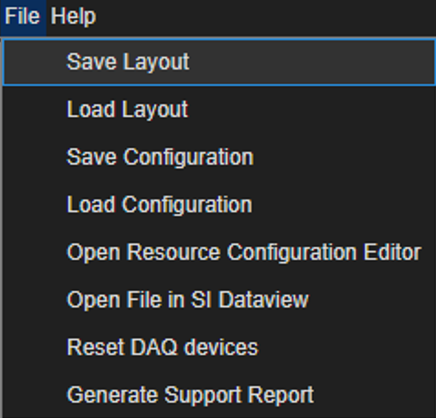
Layout Files
Layout files contain the position, visibility, and various states (if docked, maximized, etc.) of all ScanImage GUIs. If a GUI is undocked, the JSON will store the position of the window. Other miscellaneous display data (such as the color of display channels) is also contained here.
When ScanImage® starts up, the user is prompted for a Layout file which sets the default window locations/visibilities.
Configuration (CFG) Files
As stated, CFG files are JSON-formatted with each ScanImage object containing its properties and nested objects. This way, one can quickly check what saved settings are in a .cfg file.
Users will typically have several CFG files. For example, a user may have one CFG file for collecting reference anatomical stacks slowly and another for fast functional imaging.